




Safrav1.8iOS 17+AndroidwatchOS

Yourtrips.
Yourmoney.
Yourphone.

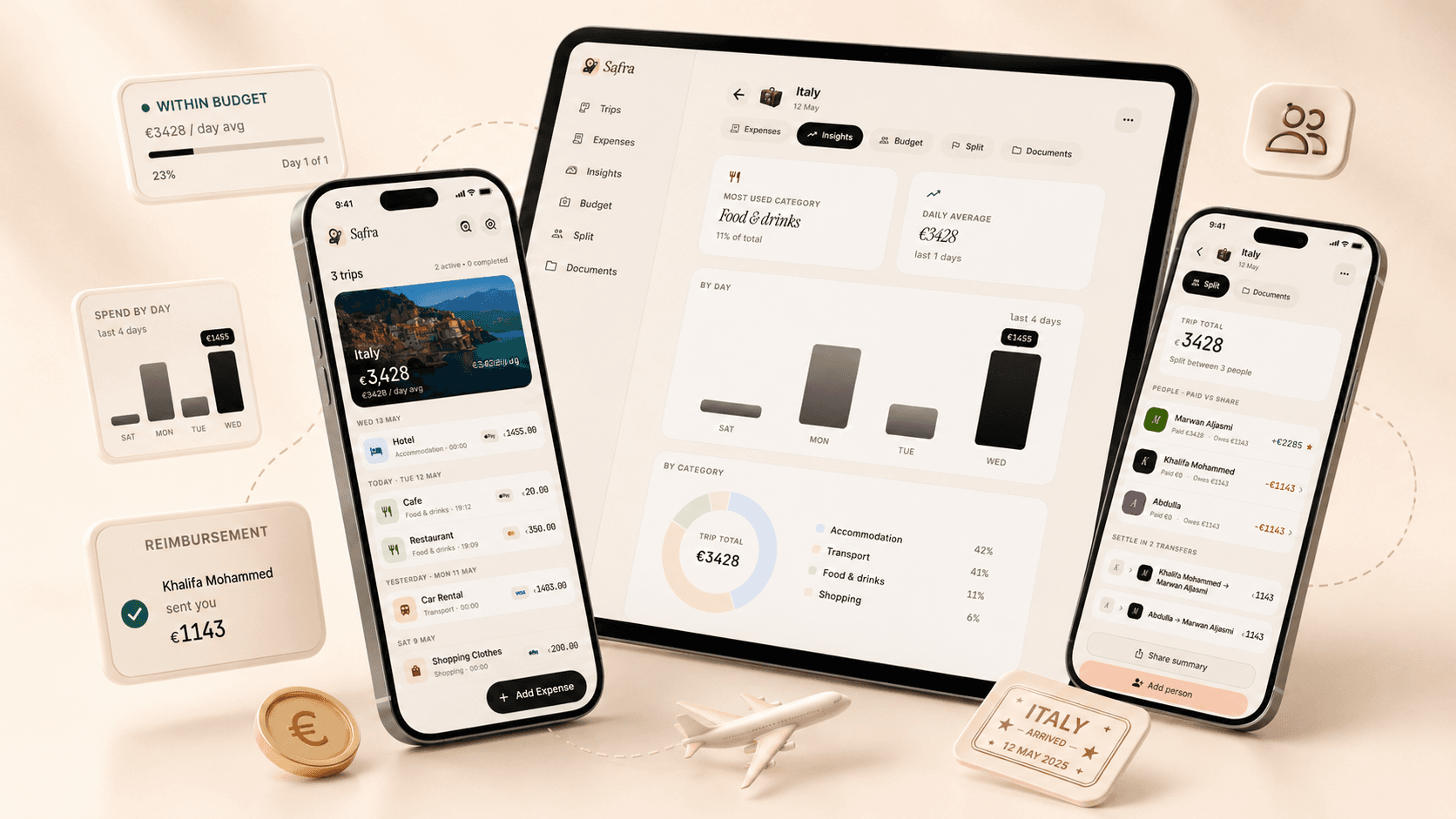
Track what you spend on every trip. Set budgets, split costs, keep your documents in one place. No account, no ads, and everything stays on your device.

Free forever·No account required·iOS 17+·Android
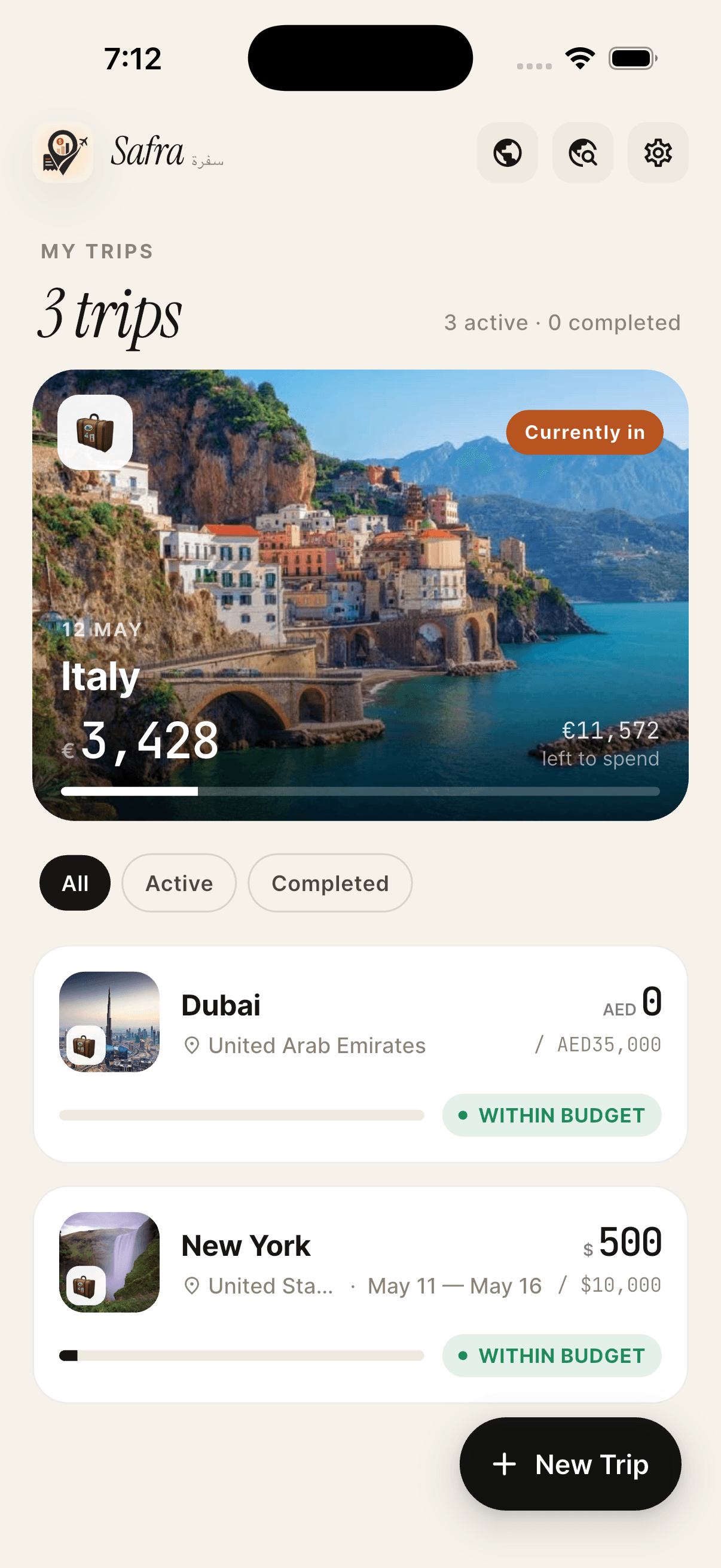
Safra app on iPhone showing the My Trips home screen
No account requiredNo ads, everData Not Collected9 languagesApple WatchFree foreverNo account requiredNo ads, everData Not Collected9 languagesApple WatchFree foreverNo account requiredNo ads, everData Not Collected9 languagesApple WatchFree forever
What's inside

Everything a trip needs, and not much else.

It's built for people who travel, the kind of thing you'd actually use on the road. Every feature is meant to get out of your way.

Multi-currency
Log in any of 170+ currencies. The rate locks at the moment you save so your totals stay accurate, even offline.
Rate locks on save
Receipt OCR
Point your camera at a receipt. Safra reads the amount, date, and merchant on your device. Nothing gets uploaded to a server. Works in 9 languages.
On-device AI
Tap to suggest a category from the merchant and amount, and get AI-narrated insights on your Lifetime stats. It all runs on your Neural Engine, so nothing leaves your phone.
Expense splitting
Four ways to split a bill: equal, by amount, by share, or by percentage. When it's time to settle up, each person shares a QR code for their method of choice (IBAN, PayPal, Venmo, Cash App, Bitcoin, and more), generated privately on your device. Nobody else needs the app or an account.
Trip checklist
A sixth tab on every trip. Pack lists, pre-departure tasks, booking reminders. Templates for popular destinations.
Budget planner
Set a budget per trip or per day. Break it down by category. See planned vs actual as the trip unfolds.
Siri & Live Activity
Add expenses with your voice. Watch the budget bar update live on your Dynamic Island as you spend. Home screen widget in three sizes.
Apple Watch
Your active trip's budget, right on your wrist. Add an expense with the Digital Crown without unlocking your phone, and the complication shows what's left at a glance. A first in the category.
Documents vault
Passport, visa, hotel confirmation, boarding pass. Stored inside the trip they belong to. Expiry alerts included.
Travel map
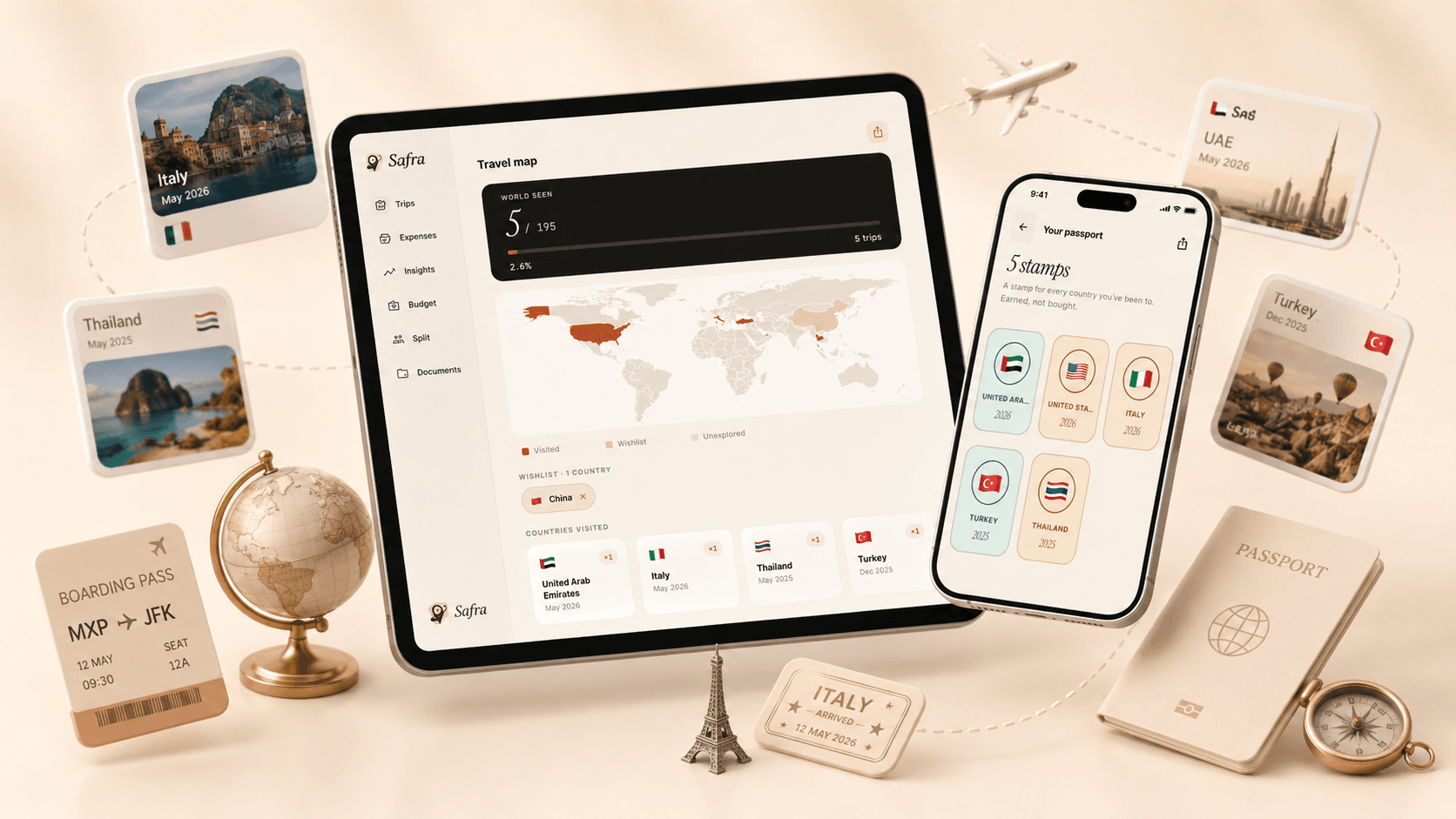
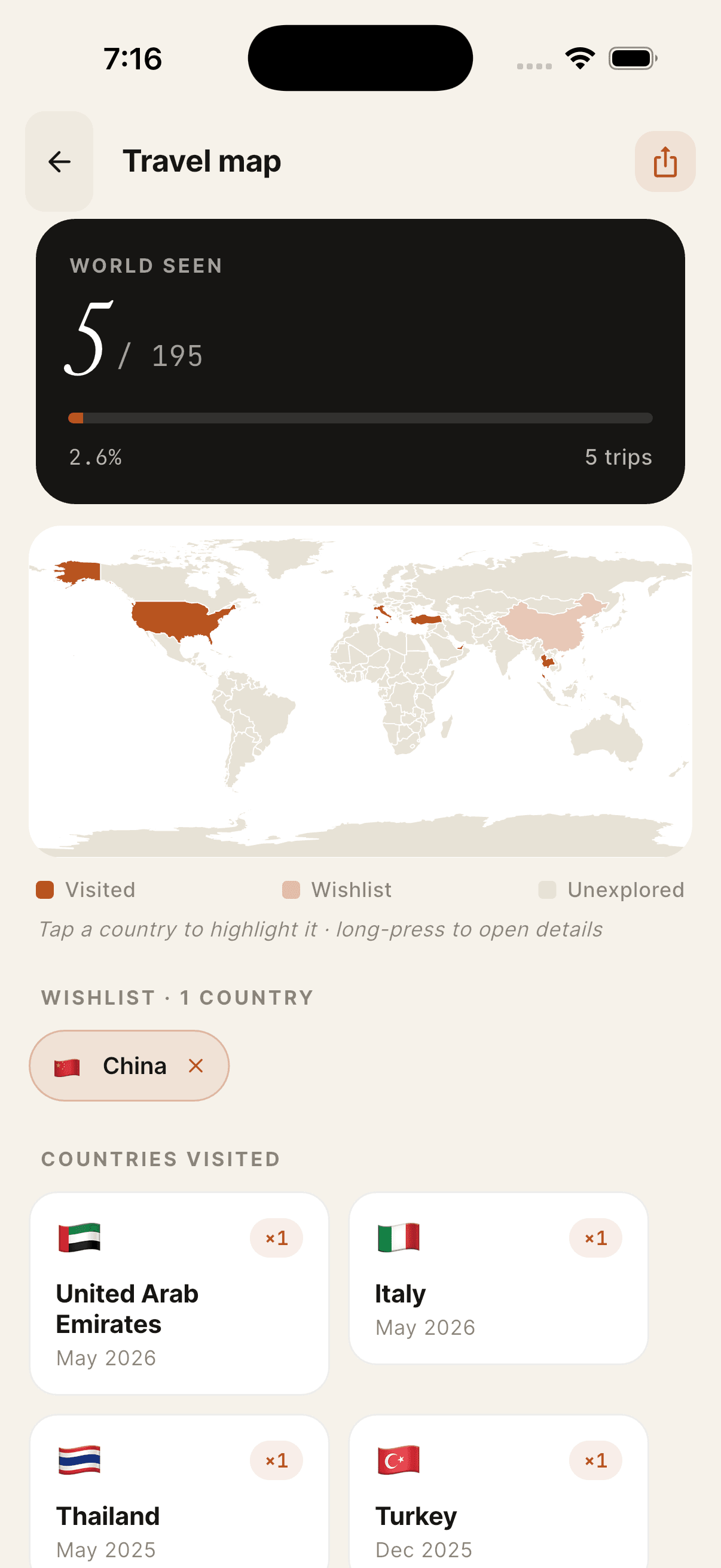
See everywhere you've been on a world map. Add a wishlist of places you want to go. Share it as a story card.
Multi-country trips
Pick several countries when you create a trip, then add city stops with their own dates and budgets. Paris, Rome, and Barcelona become one trip, with one budget and a set of insights for each city.
Passport stamps
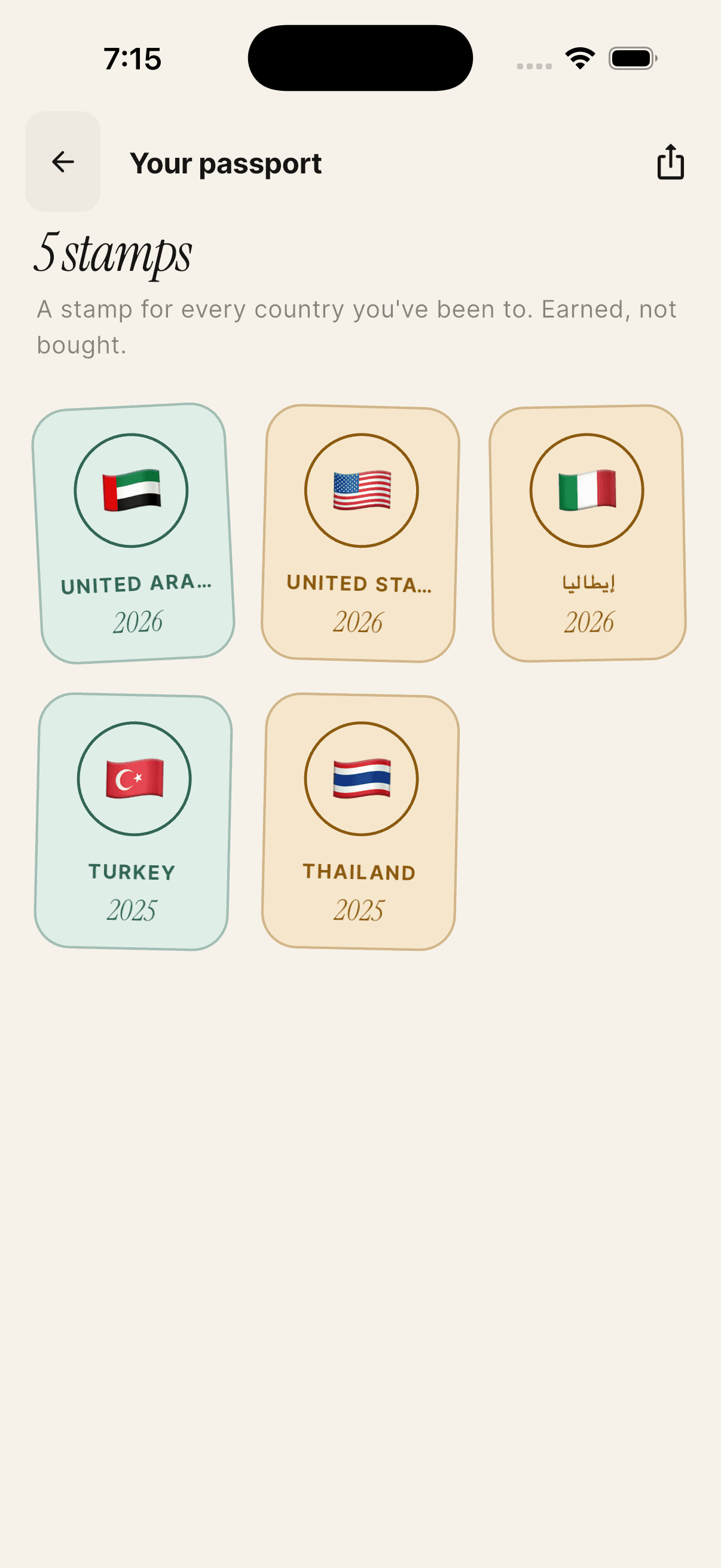
One stamp per country you visit. Watch your collection grow. Share the full grid as an Instagram story.
Spending DNA & weather
A radar chart of how you actually spend, plus how the weather shaped each trip. It surfaces patterns you would not otherwise notice.
Wrapped
At the end of the year, a three-card recap of everywhere you went and what kind of traveller you are.
Home screen widget
Your active trip's budget bar and remaining amount, on your lock screen or home screen. Three sizes.
Export
Every trip as a CSV or a branded PDF, in whatever format suits you. It is always free, with no upgrade required.
In the wild

A travel app that sits among your travel things.

Three quiet stories of how Safra shows up when you're actually moving. At the ticket counter, at the night market, back at the hotel.

Every dirham, dinar, yen.
01Track

Every dirham, dinar, yen.

Log it the moment you spend it and the exchange rate locks in. The budget bar gives you a nudge when you're drifting off track.

  • Receipt OCR
  • Multi-country trips
  • Lock-on-save FX
  • Expense search
  • Categories
Map every country you've been to.
02Explore

Map every country you've been to.

Visited countries glow terra. Wishlist countries sit in soft peach. Earn one stamp per country, plus a postcard you can share.

  • World map
  • Passport stamps
  • Trip checklist
  • Saved spots
The shape of your trip, at a glance.
03Understand

The shape of your trip, at a glance.

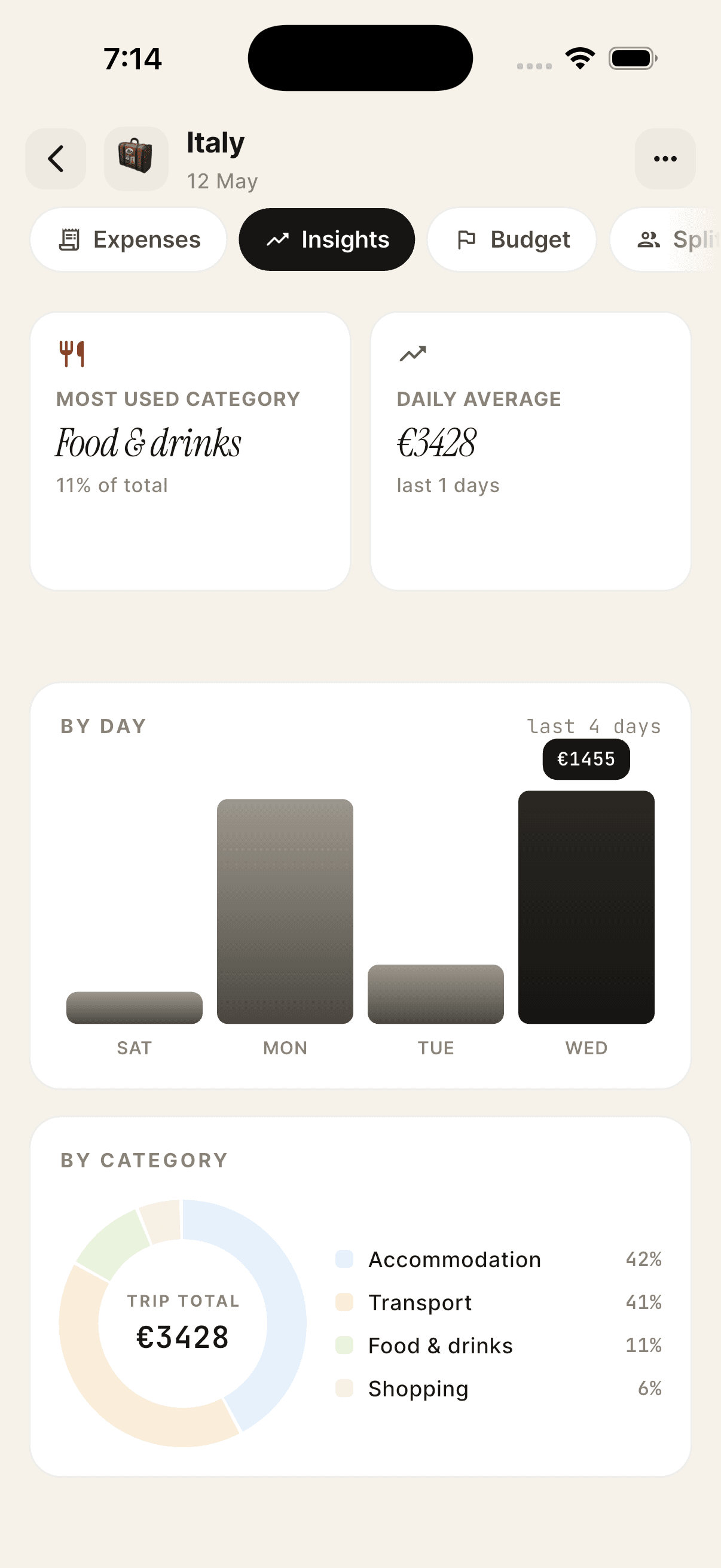
Largest expense, highest spending day, a by-day chart, a category breakdown, and a story-card recap at the end of the trip.

  • Spending DNA
  • Weather insights
  • Wrapped recap
  • PDF & CSV export
On iPhone

Crafted to feel more like a place than an app.

Scroll through the journey. The phone follows.

Every trip, in one timeline
01 / 08

Every trip, in one timeline

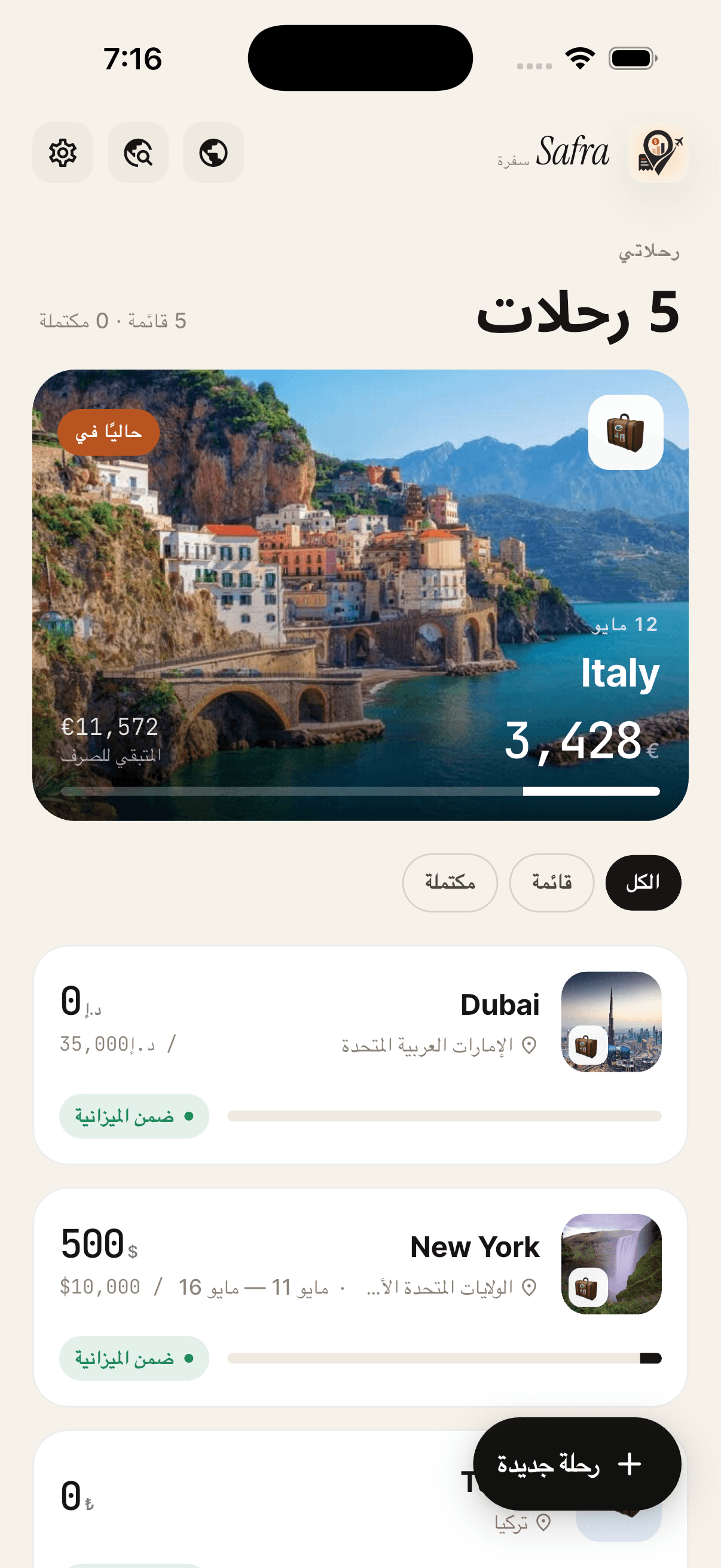
Open the app and your active trip is right there. A postcard of where you are, with the budget always in view. Past and future trips sit below it.

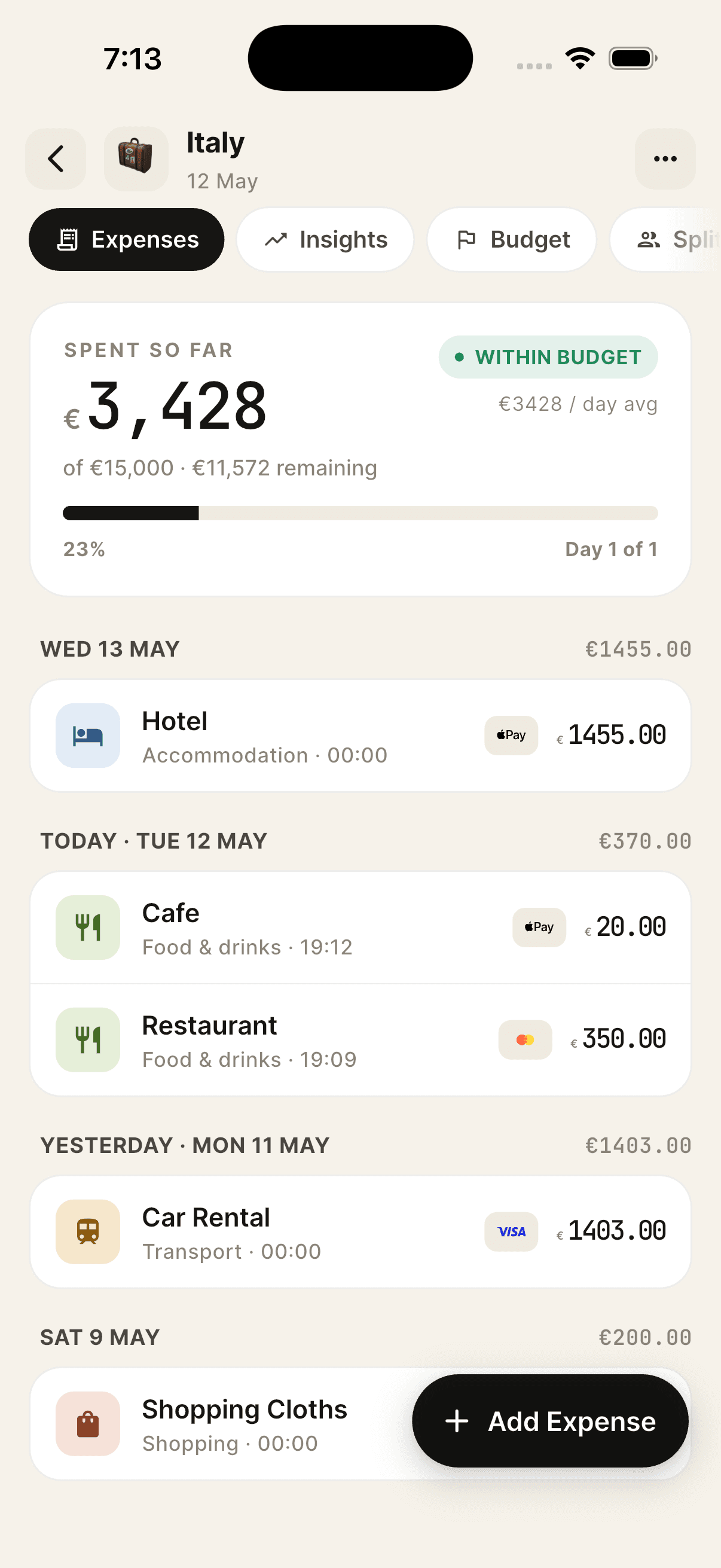
Day by day, not spreadsheet by spreadsheet
02 / 08

Day by day, not spreadsheet by spreadsheet

Every expense reads like a journal entry. Category, amount, time, payment method. Within-budget is the default state.

Insights that finally make sense
03 / 08

Insights that finally make sense

Most-used category, daily average, a bar chart for the week and a category breakdown. Nothing to configure, no dashboards to learn.

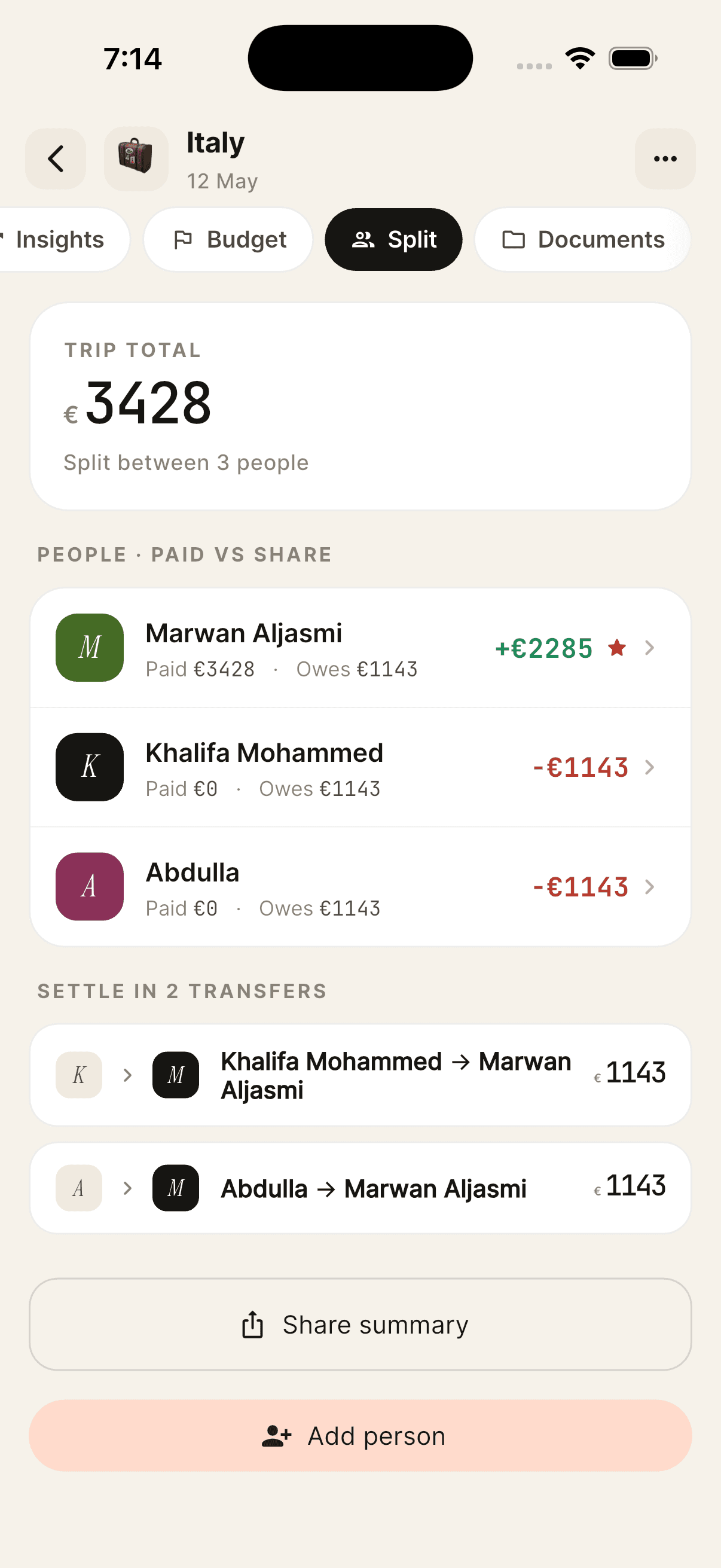
Split costs fairly with anyone
04 / 08

Split costs fairly with anyone

Equal, by amount, by share, or by percentage. Safra works out the fewest transfers needed and writes the message you can send.

Earn a stamp for every country
05 / 08

Earn a stamp for every country

A stamp per country, framed in colour. A quiet collection that grows on its own, plus a story card you can share.

Your travel, on one world map
06 / 08

Your travel, on one world map

Visited countries glow terra. Wishlist countries sit in soft peach. Long-press to plan, tap to remember where you've been.

Beautiful in Arabic
07 / 08

Beautiful in Arabic

Fully right-to-left, across every screen, every label, and every number. It was designed in Arabic from the start.

A recap worth sharing
08 / 08

A recap worth sharing

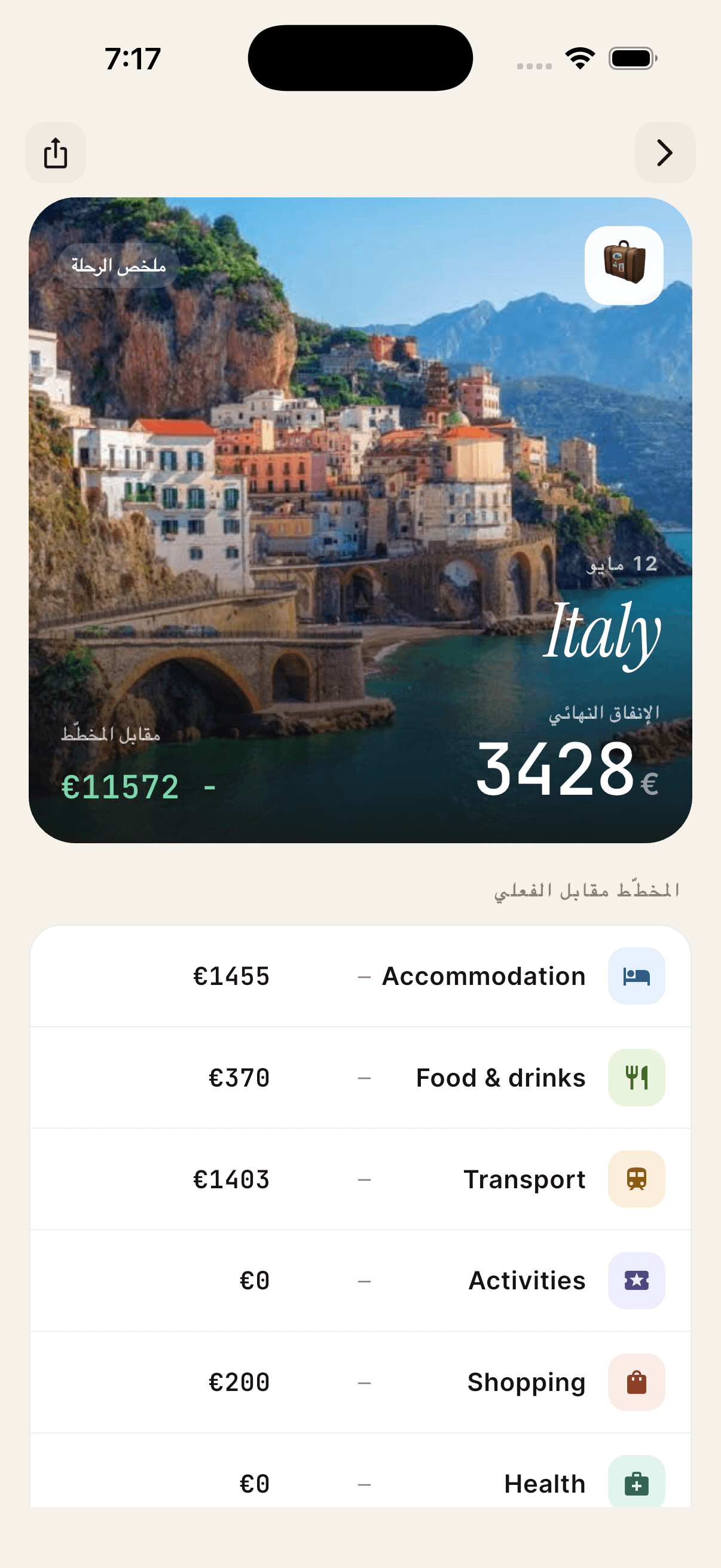
At the end of every trip, a single card with the final spend, planned vs actual, and the categories that made it your trip.

On iPad

Made bigger for the iPad.

It isn't a stretched phone screen. It's a proper iPad app, with the same pacing, scaled to the bigger canvas.

Side by side, always in context

Side by side, always in context

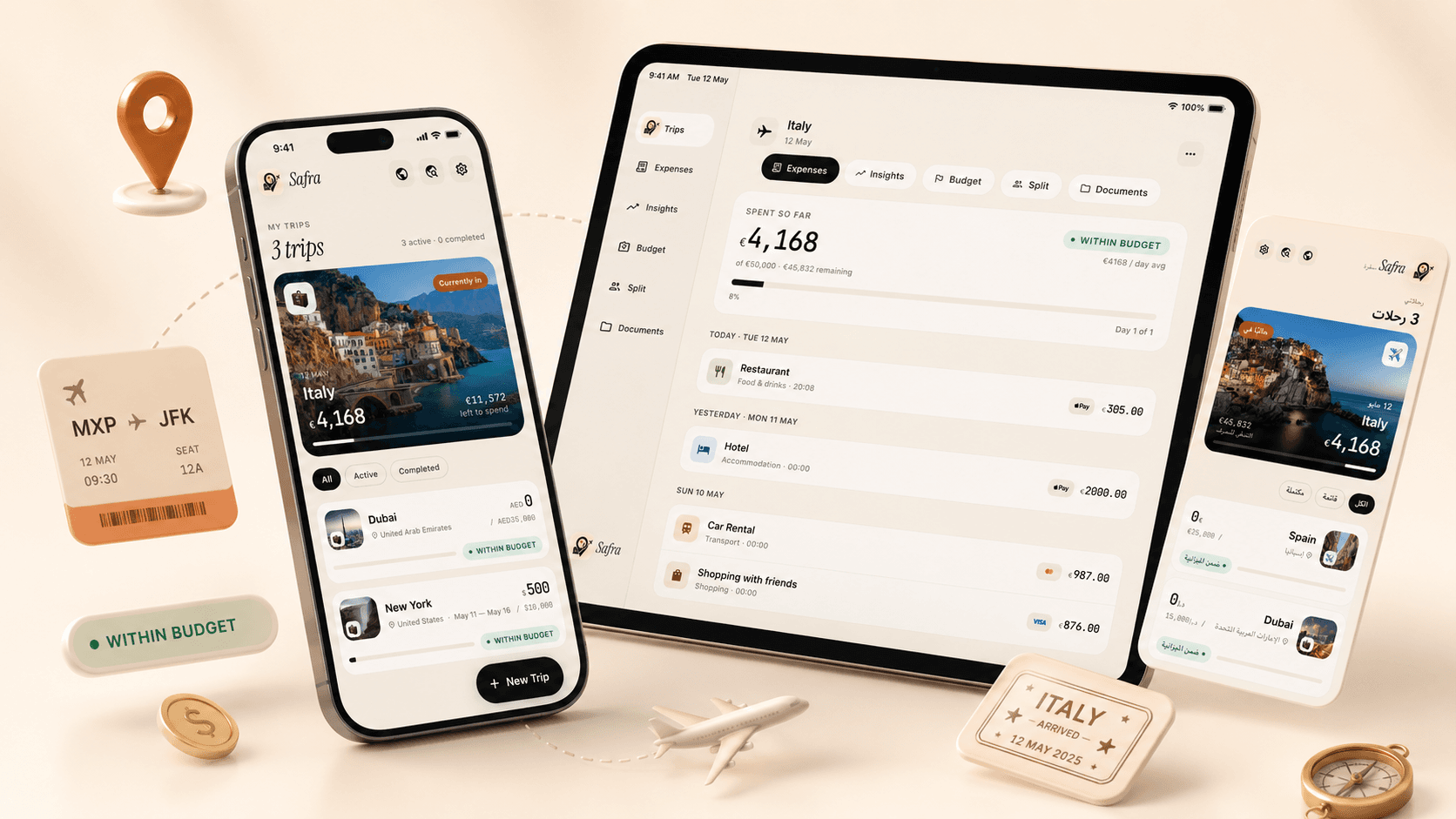
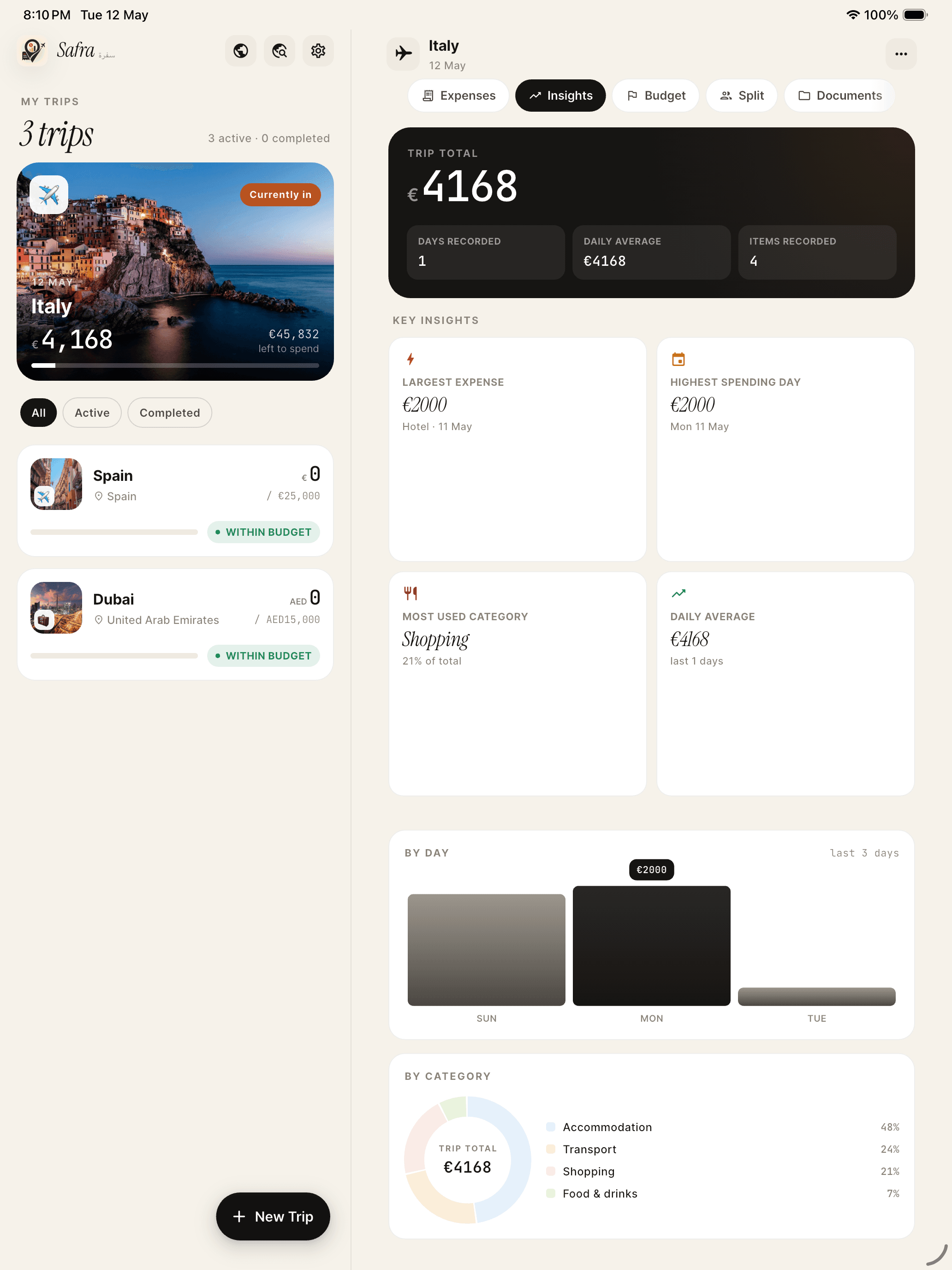
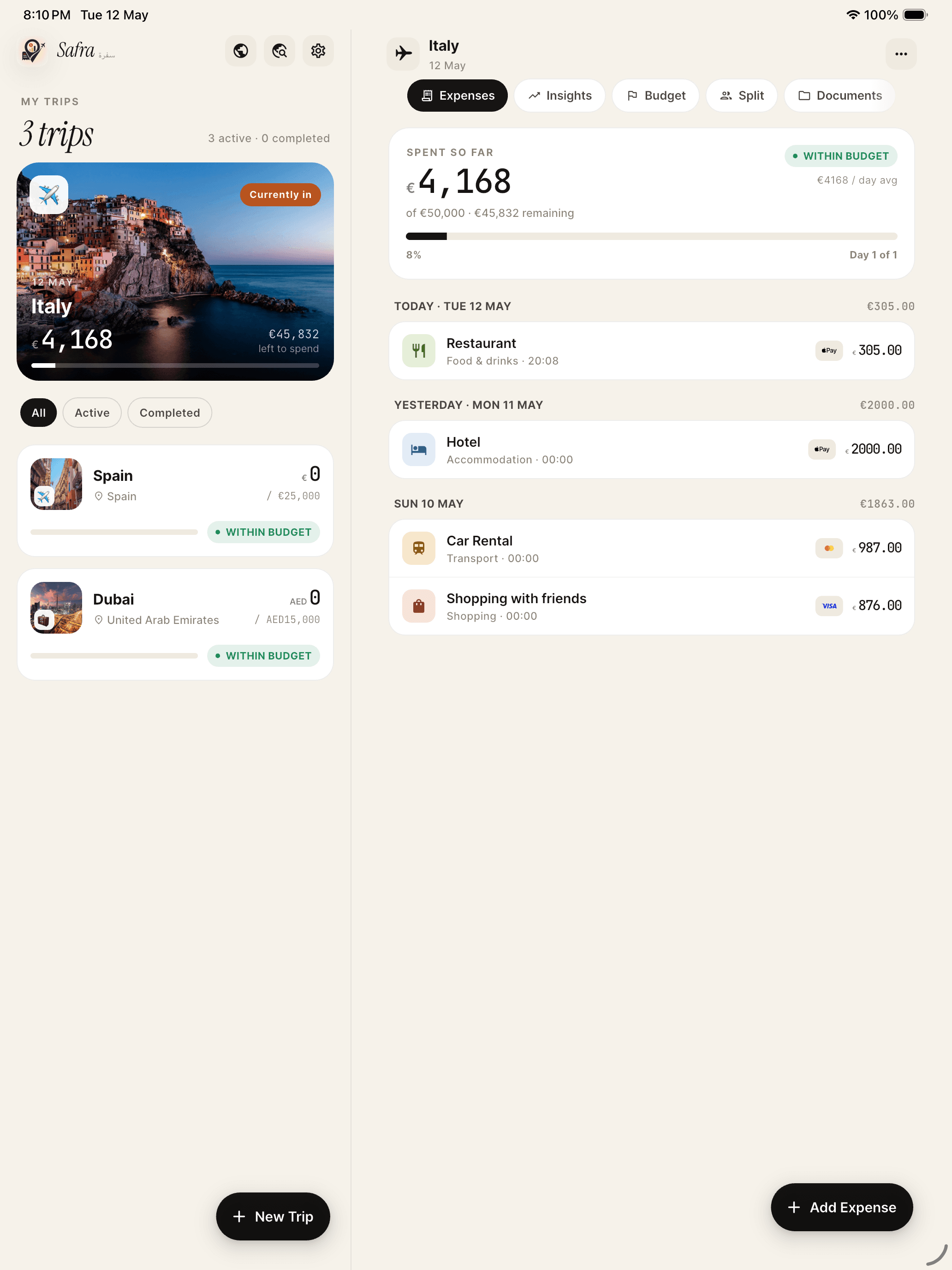
iPad split view keeps your trips list and the trip you're working on visible at the same time, so there's no juggling tabs to add an expense.


An insights dashboard worth opening

An insights dashboard worth opening

Largest expense, highest spending day, daily averages, a clean by-day bar chart and a by-category pie, all in one pane.
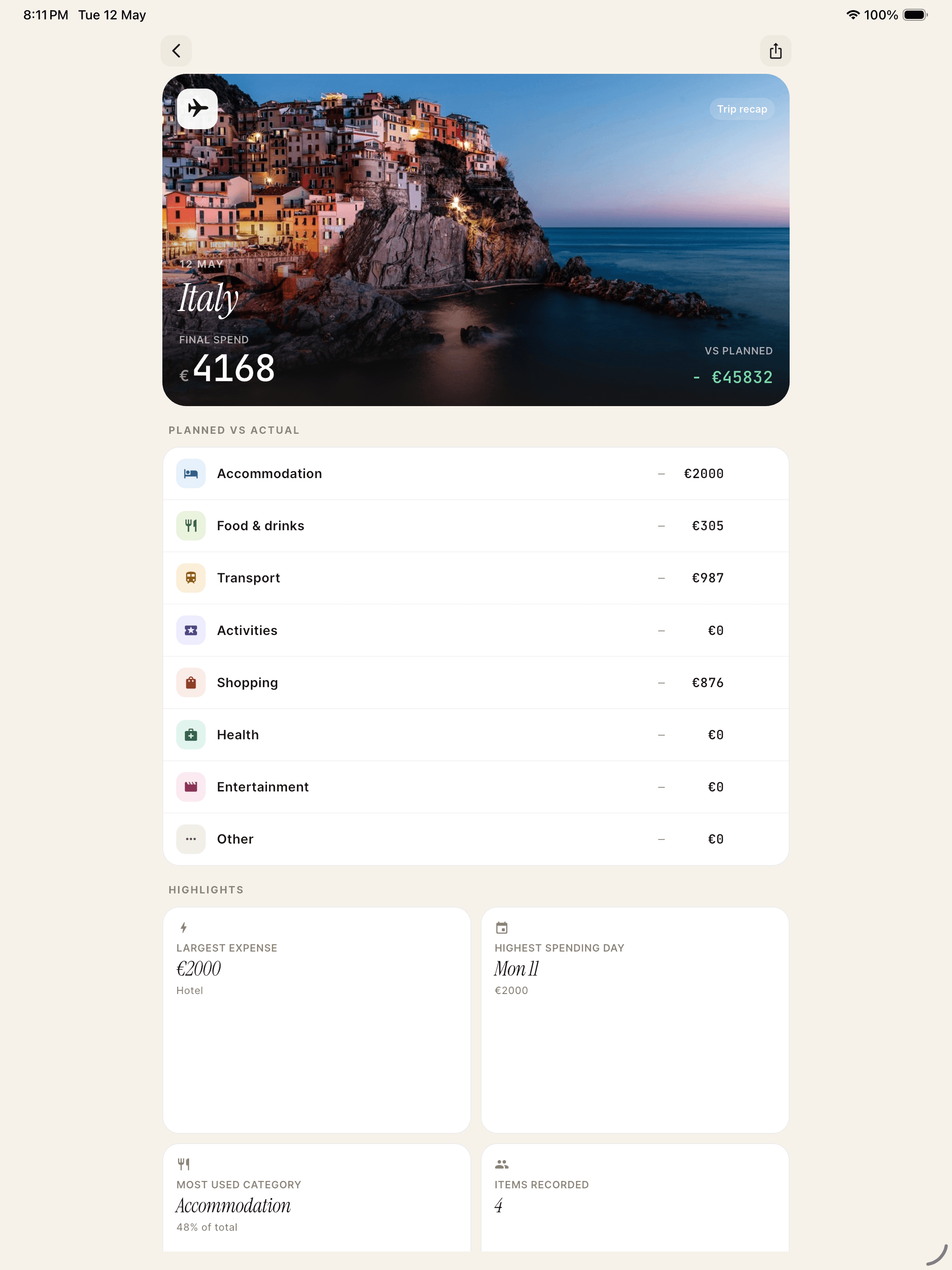
A trip recap, framed like a memory

A trip recap, framed like a memory

Final spend over a photo of the place, planned vs actual category by category, and the highlights that defined the trip.
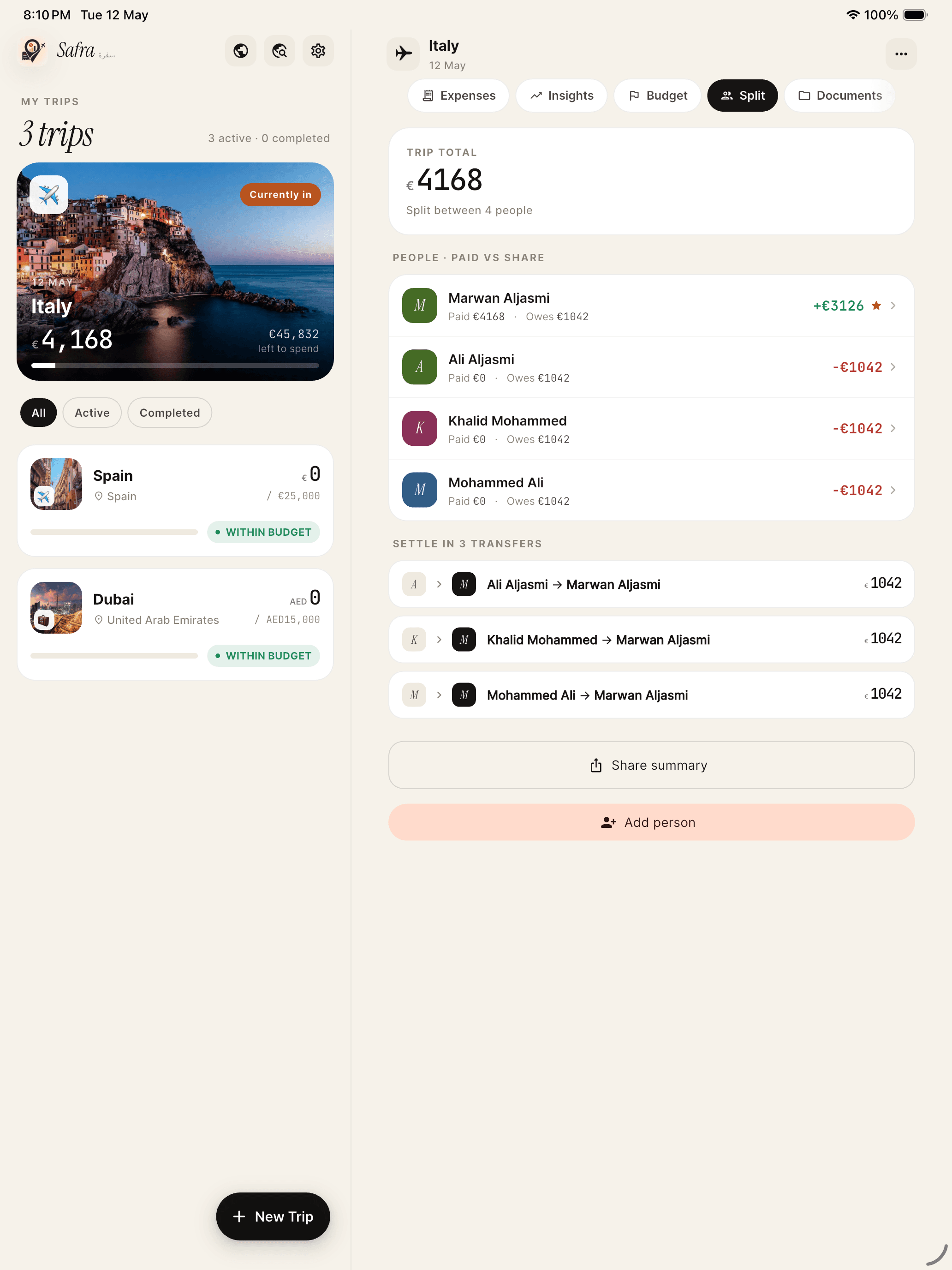
Split with anyone, settle in the fewest transfers

Split with anyone, settle in the fewest transfers

Four split modes. Safra works out who owes whom, collapses it into the minimum number of transfers, and writes the summary you send.
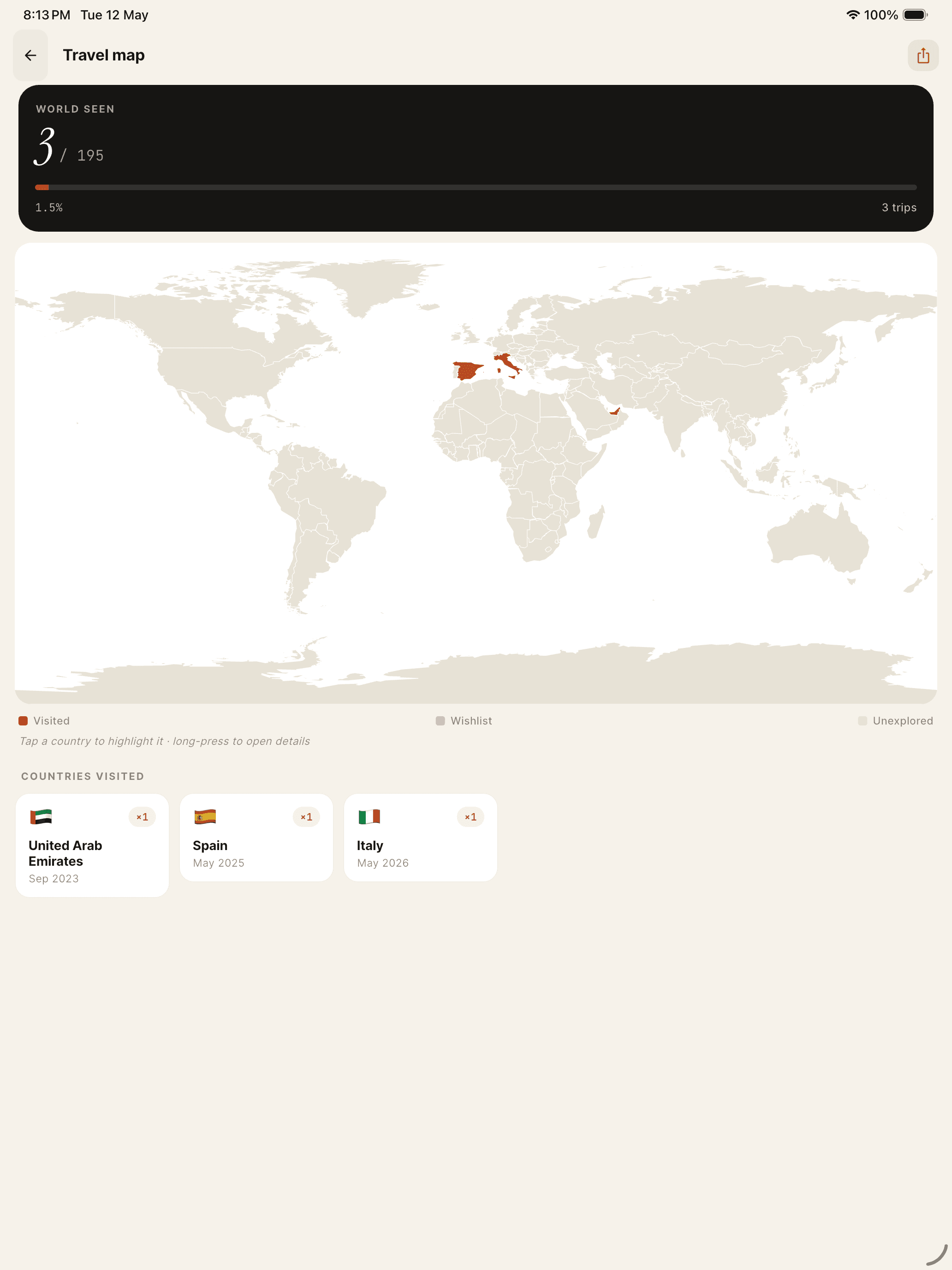
Your travel, framed on one map

Your travel, framed on one map

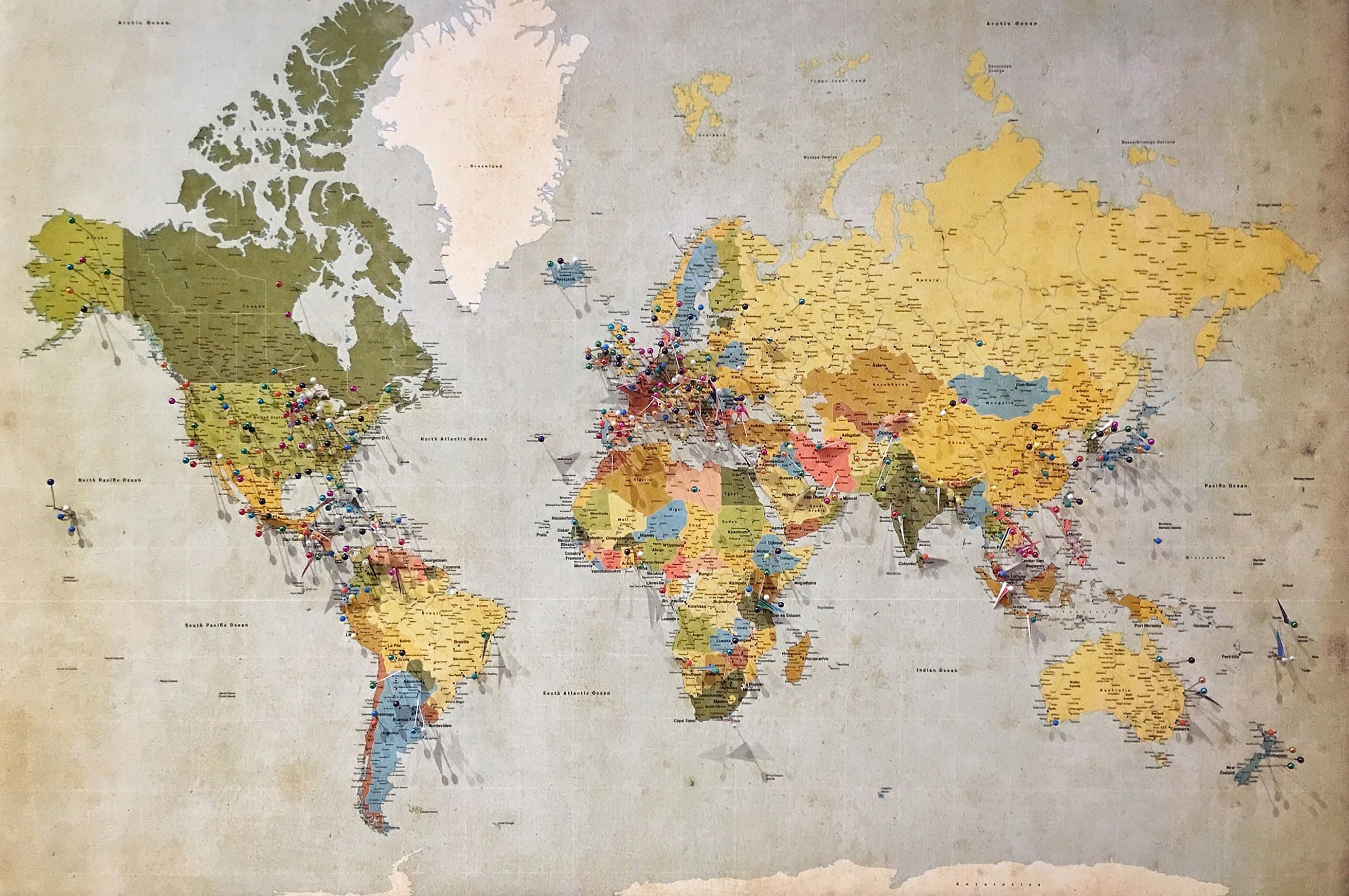
Tap a country to highlight it, long-press to open details. Your wishlist and the places you've actually been, side by side.
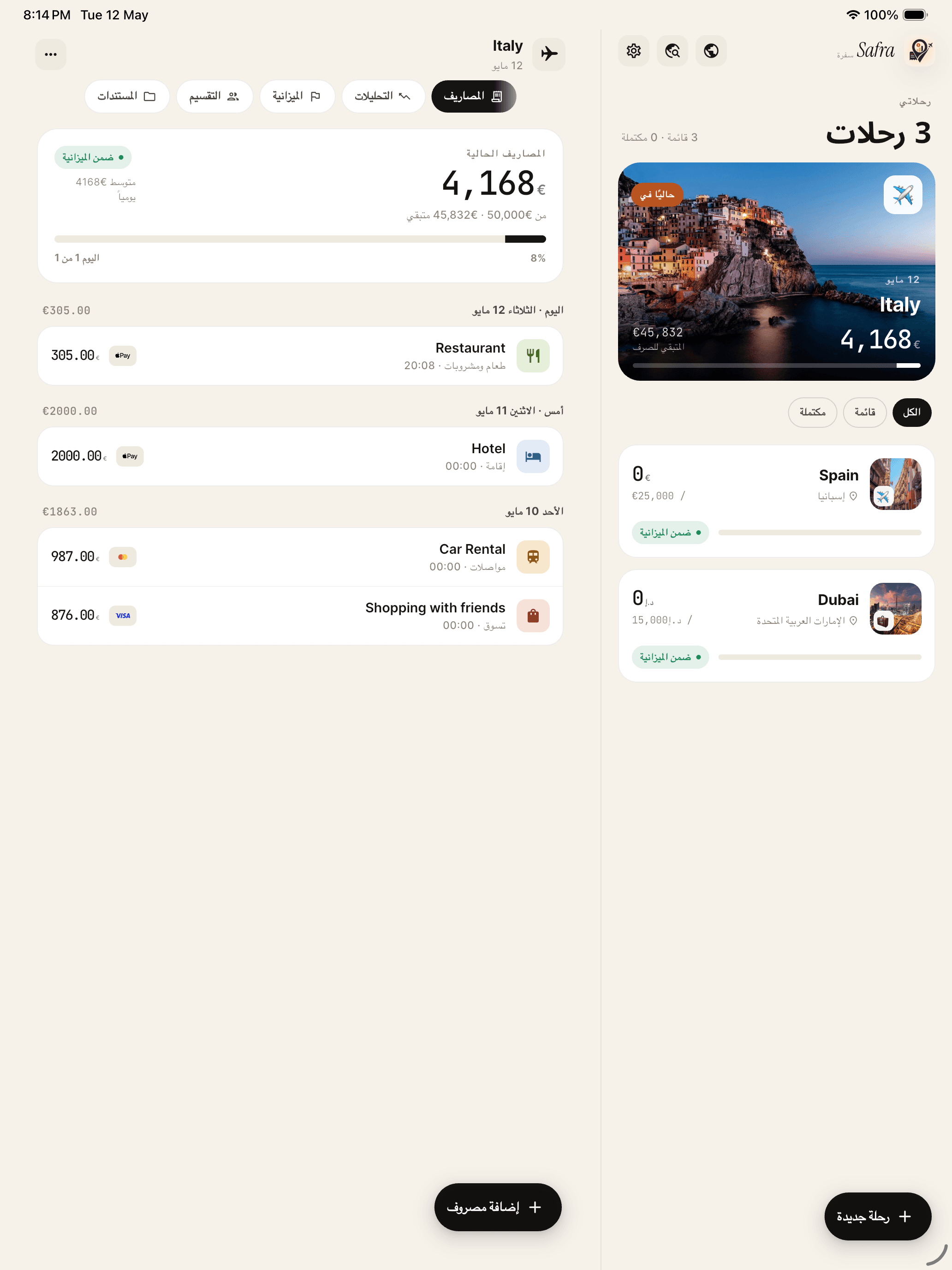
Designed in Arabic, not flipped from it

Designed in Arabic, not flipped from it

Right-to-left across every pane and pixel, including the split-view multitasking. The Arabic version is a first-class build in its own right.

On Apple Watch

The whole trip, on your wrist.

Safra is the first travel expense tracker with a proper Apple Watch app. Check your budget, switch trips, and log what you spend without ever reaching for your phone.
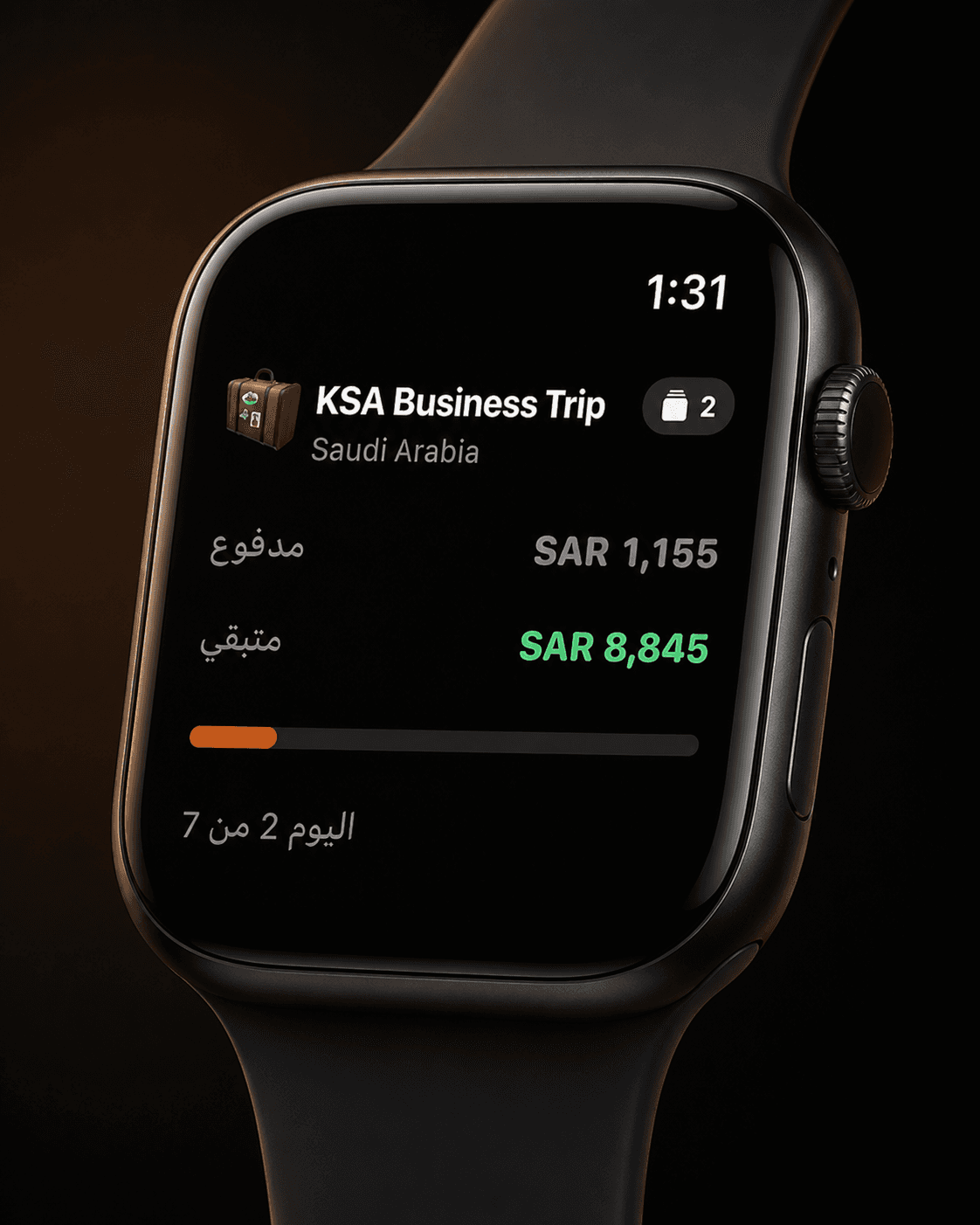
Your budget, at a glance
01

Your budget, at a glance

Paid, remaining, and how far into the trip you are. Raise your wrist and it's right there, in English or Arabic.
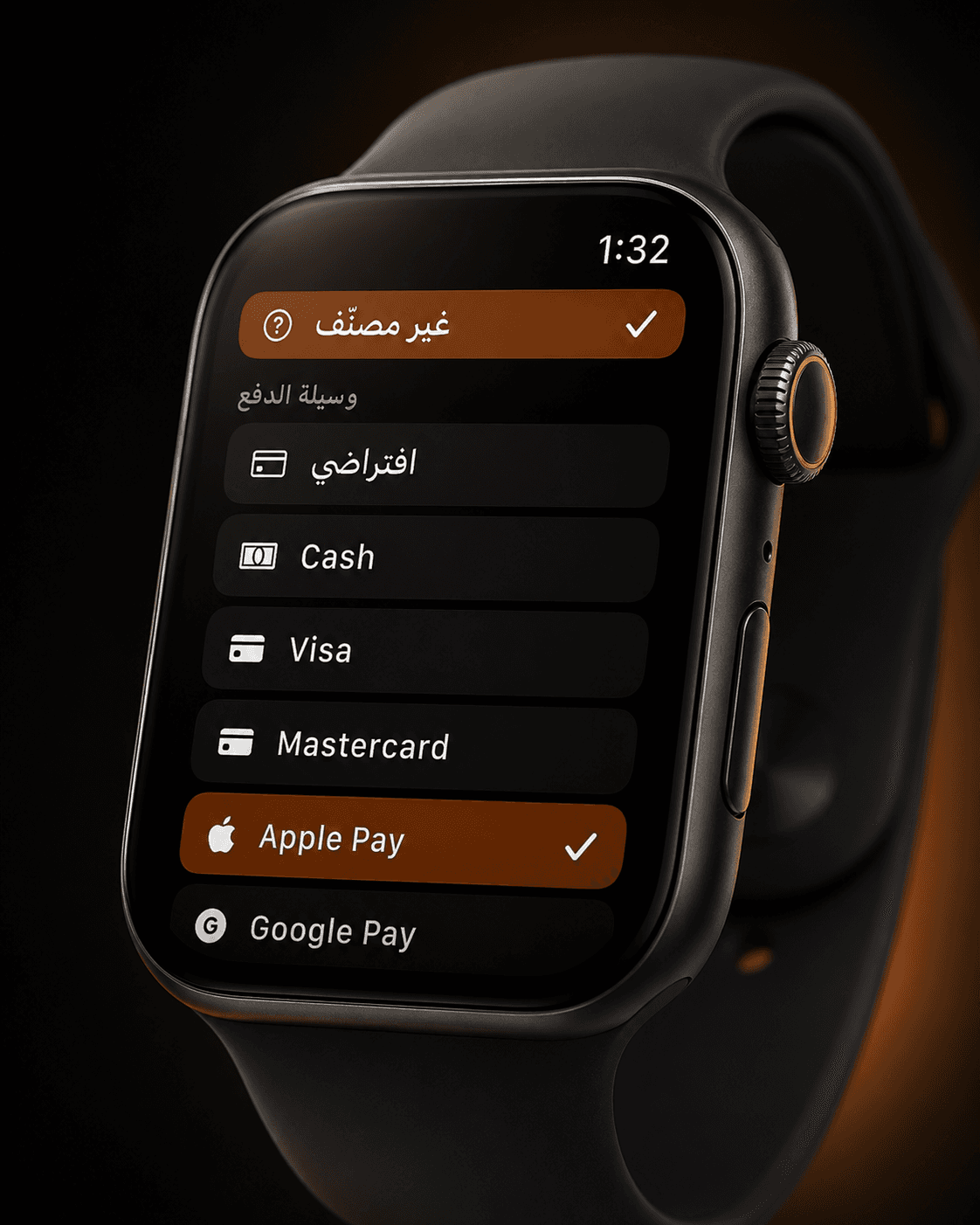
Pick how you paid
02

Pick how you paid

Cash, Visa, Apple Pay, Google Pay. Choose the payment method right on the watch and the expense is logged.
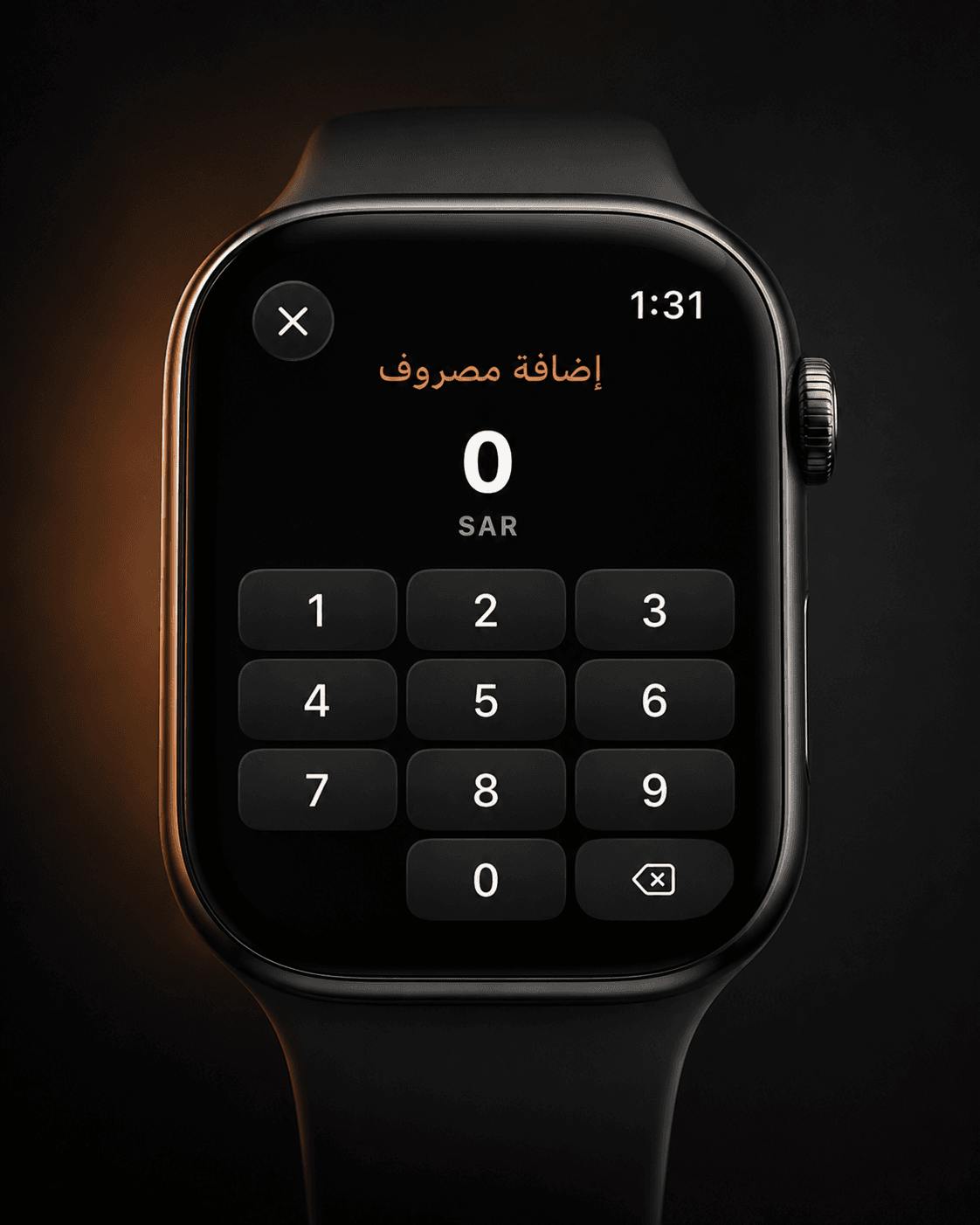
Add an expense with the Crown
03

Add an expense with the Crown

A full number pad on your wrist. Spin the Digital Crown, tap in the amount, and you're done.
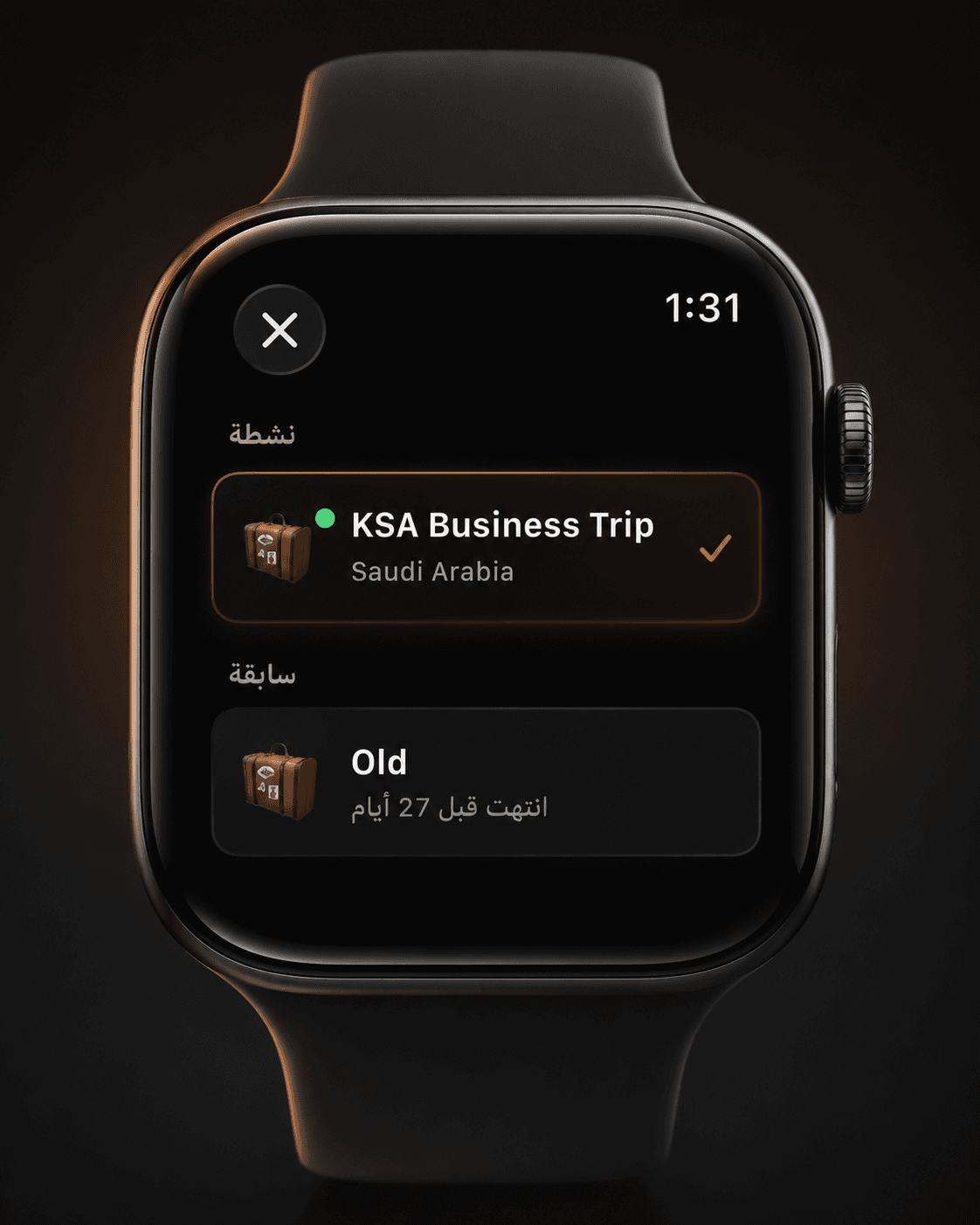
Switch trips from your wrist
04

Switch trips from your wrist

Your active trip sits on top, with past trips just below. Tap to switch without picking up your phone.

Privacy

We don't have your data. Literally.

Safra is local-first by architecture, not just by policy. There is no backend and no Safra account. Everything you enter lives on your phone and nowhere else.

Local-first
Your trips, expenses, receipts, and documents are stored in a database on your device. No server has ever seen them.
iCloud on your terms
Backup is opt-in and goes to your personal iCloud account. Encrypted, controlled by you, invisible to us.
No ads. No analytics.
There is no advertising SDK, no crash reporter, and no session tracker. Nothing sends your behaviour anywhere.
Data Not Collected
Apple's highest privacy label. We earned it by answering "no" to every data category, because the answer is genuinely no.
Built for the world

Nine languages. Each one written properly.

These aren't machine translations or English with the words swapped out. Each locale uses the register and tone a native app would use.

Arabic is fully right-to-left, down to the labels and the numbers.

Pricing

Everything.
Free.
No catch.

Splitting, documents, Wrapped, widgets, world map, PDF export, all nine languages. There's no Pro tier, no trial countdown, and no subscription. That's the whole promise, and it's not changing.

Receipt OCROn-device AIApple Watch appMulti-country tripsExpense splittingTrip checklistSpending DNADocuments vaultWrappedHome screen widgetSiri & Live ActivityNearby ShareWorld mapPassport stampsPDF exportCSV export9 languagesiCloud · Google Drive backupAndroid app
M
I built Safra because every travel expense app I tried either wanted an account, showed me ads, or locked the useful parts behind a subscription. I just wanted to know what I was spending, without giving anyone my data to do it. So I built the app I wanted to use, and made it free for everyone.
Marwan Aljasmi · maker of Safra سفرة